
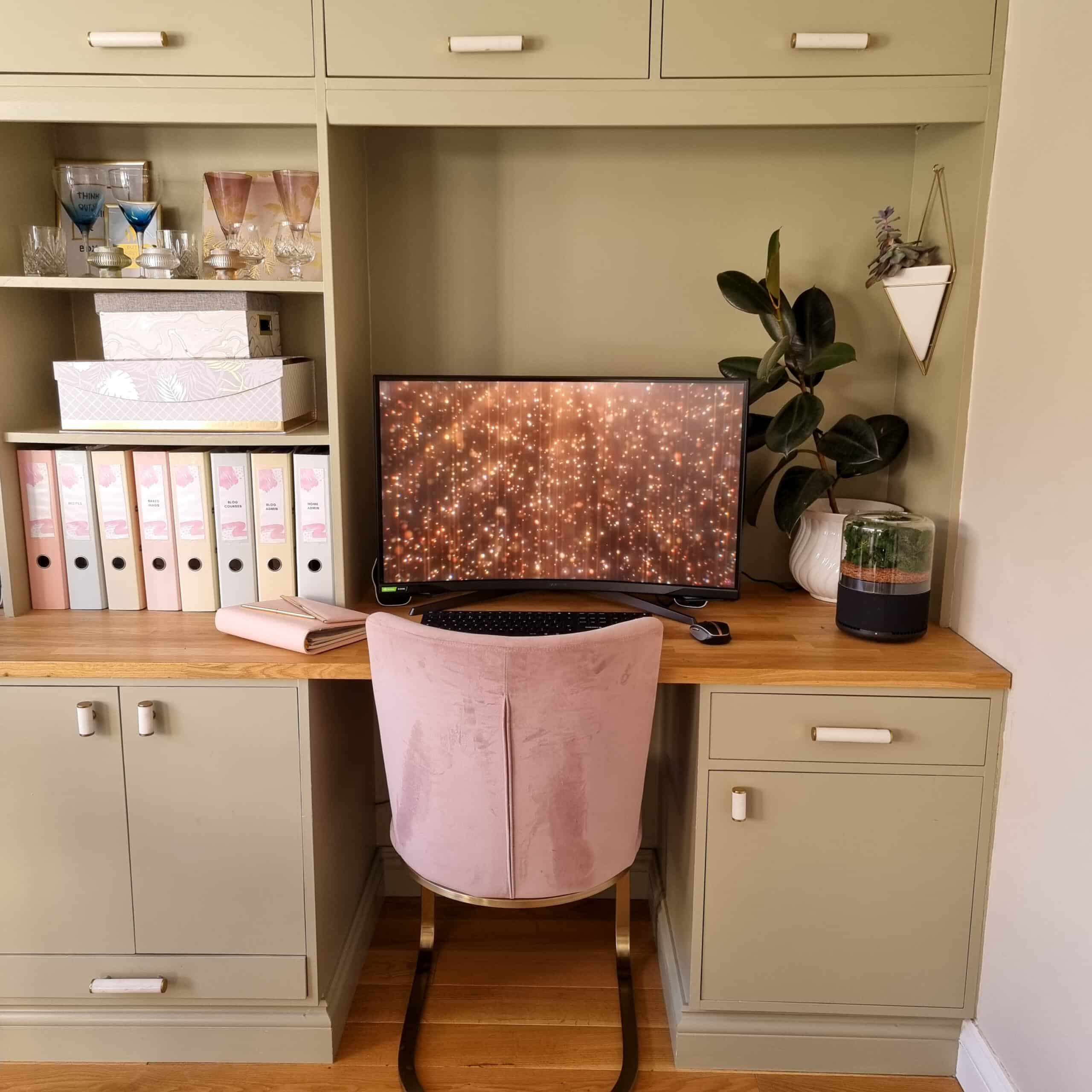
Struggling to find space for a home office? You’re not alone. More people than ever are now working from home, but not everyone has a spare room to dedicate to work. The good news? Even with minimal space, you can create a functional and inspiring home office. Whether you’re a homeowner trying to make the most of your layout, a real estate investor sprucing up a rental, or simply a DIY enthusiast, these tips will help you transform even the smallest corners into a productivity hub.
*Collaborative Post
Why Having a Dedicated Home Office Space Matters
Before we get into the nitty-gritty of setting up your home office, let’s talk about why having one matters. A dedicated workspace doesn’t just keep you organised; it also helps you separate work from home life. This boundary is vital for your productivity and mental health. Plus, having a professional-looking setup is particularly handy if you’re hopping onto video calls regularly.
If you’re thinking, “But I don’t have space for a home office!” – don’t worry. You don’t need a big room or fancy furniture. With a little creativity and some clever tips, even a corner of your living room, kitchen, or bedroom can become the perfect place to get things done.
Step 1: Find Your Space
Look around your home—where’s that unused area that could work? It might be a corner of your living room, an alcove under the stairs, or even a nook by a window. If you’re tight on space, consider unused surfaces, like a wide windowsill or a section of your kitchen counter.
Pro Tip: Foldable desks or wall-mounted options are great for saving space. For example, a wall-mounted drop-leaf desk can easily fold away when not in use, making it perfect for multi-functional spaces.
Step 2: Choose the Right Desk
Your desk is the centrepiece of your home office. Opt for a compact desk or a console table if you’re short on space. You need just enough space for your essentials—laptops, notebooks, or a monitor.
If you’re customising your desk area, look for storage-friendly options. Desks with built-in drawers or underneath shelving can help you stay organised without cluttering your space.
Step 3: Invest in a Good Chair
Here’s where you shouldn’t cut corners (pun intended). Good home office chairs make all the difference—not just for productivity but for protecting your back and posture during long working hours.
While hunting for the perfect chair, look out for these key features:
- Ergonomic Design: Chairs that offer lumbar support keep your posture in check.
- Adjustable Settings: The height, armrests, and recline should accommodate your preferences.
- Comfortable Padding: High-density foam or memory foam cushions can be a game-changer.
Pro Tip: Check out styles of ergonomic chairs that are both functional and stylish—they won’t break your back or your living room aesthetic!
Step 4: Maximise Vertical Space
When floor space is limited, go vertical! Wall-mounted shelves, pegboards, or even a few hanging baskets can help keep your work tools and supplies within arm’s reach. They’re perfect for organising documents, pens, or even your favourite mug of coffee.
Adding small drawers, magazine racks, or desktop organisers to your setup can help maintain a clutter-free workspace, which is crucial if the area doubles as another room after hours.
Step 5: Light It Up!
Lighting is key to creating a productive work environment. Aim for as much natural light as possible, which helps reduce eye strain and keeps you energised. If natural light isn’t an option, invest in a quality desk lamp that mimics daylight.
Look for adjustable desk lamps with warm and cool light modes so you can adapt them based on your needs.
Pro Tip: Adding a mirror near your workspace can bounce around natural light, making small spaces feel larger and brighter.
Step 6: Add Personal Touches
Your home office should make you feel good while working. Add personality with items you love, such as:
- A few framed photos or motivational prints.
- A small plant like a succulent or a peace lily, which can freshen up your space and improve air quality.
- Stylish stationery holders or organisers that match your room’s theme.
But beware of adding too much! Keep it simple and avoid clutter so your workspace stays focused.
Step 7: Limit Distractions
If your workspace is in a shared or busy area, it’s important to minimise distractions. Noise-cancelling headphones, a folding privacy screen, or even a sign that says “Do Not Disturb” can help keep you in the zone.
If you’re working from a dining table or kitchen counter, consider having a designated basket or box to store your office supplies when the space needs to shift back to household use in the evening.
Why Ergonomic Chairs Shouldn’t Be Overlooked
While we’ve touched on chairs earlier, it’s worth digging a bit deeper. Many people underestimate how much time they spend sitting—and the toll that can take on your body. Ergonomic office chairs aren’t just a splurge; they are an investment in your health and focus.
Unlike a dining chair or stool, ergonomic chairs are designed for long hours of work. They:
- Reduce back and neck strain.
- Promote proper posture.
- Help improve productivity by keeping you comfortable and supported throughout the day.
If aesthetics are a concern, remember there are plenty of stylish ergonomic chairs available to suit a variety of interior themes.
Make the Most of Your Workspace
Whether your home office is tucked away into a corner or takes pride of place in a room, the key is making the space work for you. With a little planning and some smart choices, you can create a productivity haven that’s both practical and inviting.
If you’re setting up your space and need inspiration, consider starting with your chair and desk—comfort and functionality make all the difference. Once you’ve got those sorted, use vertical storage, good lighting, and personal touches to breathe life into your new office nook.
Now, grab a cuppa, sit down in your ergonomic chair, and get ready to work smarter, not harder.